Research
You can't work a network you can't see.
A thousand connections, no ranking, no reasons. Ten messages cost two hours of profile-hopping before you write a word.
Local-first outreach workbench · macOS
LinkNurture scores the connections you already have against the customers you actually want, drafts each note from your own template, and stops. Nothing sends until you read it.
Runs on your Mac. No cloud account. Your data stays on disk.
Research
A thousand connections, no ranking, no reasons. Ten messages cost two hours of profile-hopping before you write a word.
Volume
They send at machine speed from a tool that holds your credentials, and the metric they report is messages, not replies. One day the account is restricted and the campaign is already out.
Voice
"I came across your profile and was impressed by your work" is now a signal that nobody read anything. Reply rates fall, and the network learns to ignore you.
LinkNurture is built around the opposite constraint: a queue you can see the end of, and a message you would be comfortable signing.
01
LinkNurture reads your own connection list and scores every profile 0–100 against your ICP.
02
The app fills the field. Then it stops and shows you the whole thing.
03
Batches are capped at 10. Gaps are randomised between 45 and 150 seconds.
04
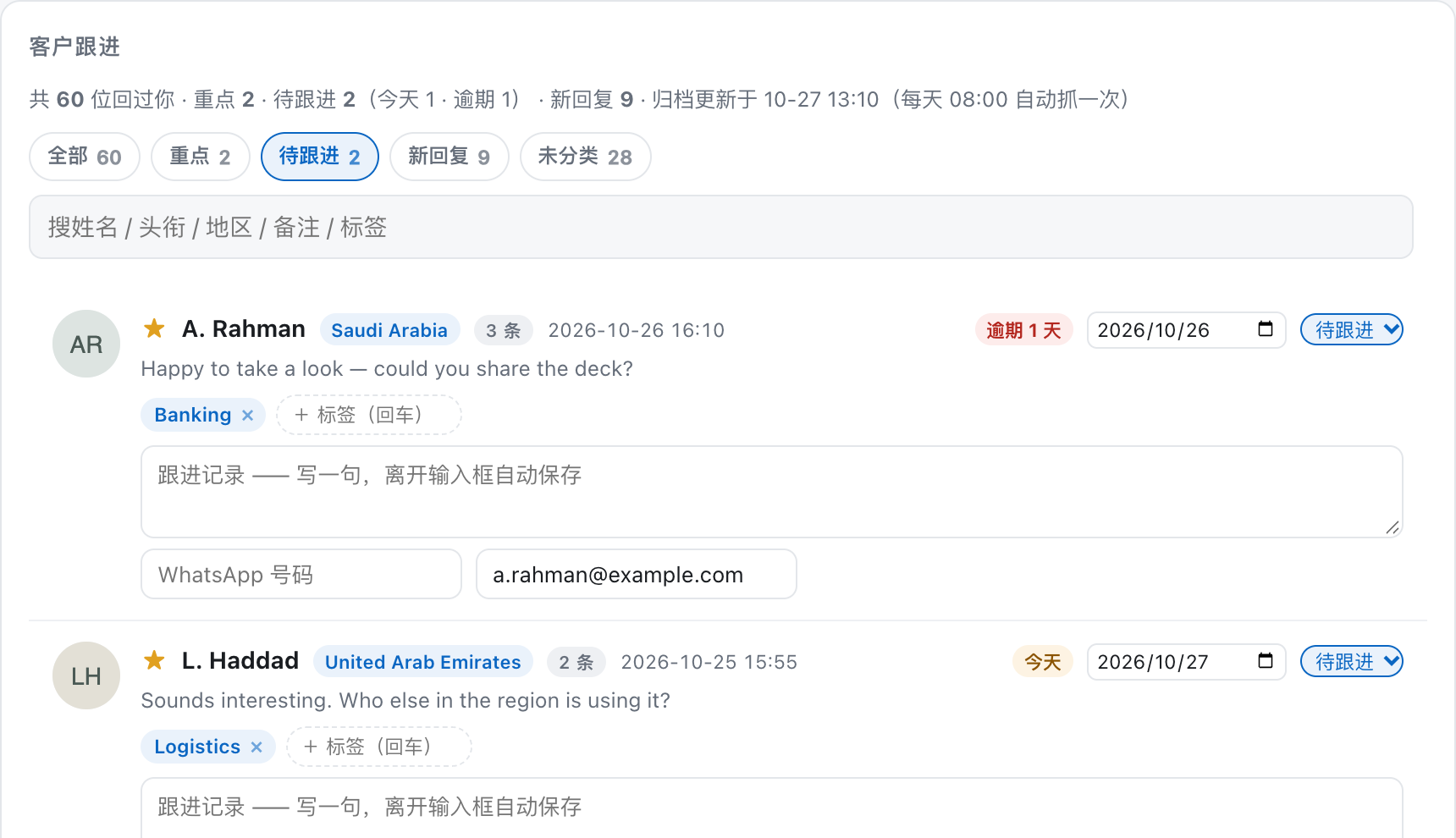
Every morning the app archives who replied. The follow-up board is where the work stays.
Research
A number you can audit. Every ranking exposes the signals behind it, so a bad call is a conversation about criteria, not a black box.
Approval
The modal shows the exact text and the exact recipient. Pressing it is the only way anything leaves.
Pacing
10 per batch, randomised 45–150 second gaps, a rest every few people. Volume is capped in code, not in a settings screen.
Follow-up
A daily archive of everyone who answered, with a next-contact date and an overdue badge.
Visibility
An activity bar reports the current step, position in the batch, wait time, and how long it has been silent.
Local
No cloud account, no uploaded prospect list, no telemetry. Your data is a folder you can copy or delete.
Most tools show a spinner and hope. LinkNurture shows the phase, the position in the queue, the reason it is waiting, and a silence timer that counts up when something stalls — so “still working” and “stuck” never look the same.

There is no LinkNurture cloud. The app runs a server on loopback, drives a dedicated Chrome profile that you sign into yourself, and writes everything it knows to files on your disk.
Credentials You sign in once, in your own browser profile. LinkNurture never asks for, stores, or transmits your password.
Network The only outbound traffic is your browser talking to LinkedIn, the same requests a person would make.
Storage Connection list, scores, message text, reply archive and notes are JSON and CSV files on your machine.
Telemetry None. There is no analytics endpoint in the codebase.
These are not missing features. They are the product.
For
Not for
One LinkedIn account per seat. Batch cap of 10 applies on every plan — that is not a paywall, it is the design.
Free
14 days
$39/mo
or $390/yr
To confirm
$99/mo
or $990/yr
To confirm
$790
once
To confirm
Prices in USD, excl. tax. Cancel anytime; the data stays on your machine either way.
Every plan is subject to the same 10-per-batch cap and randomised pacing.
Solo, Studio, and self-hosted prices are still to confirm. There is no checkout on this page.
LinkNurture drives a browser you are signed into, the way a person would. It does not scrape at scale, does not create accounts, and does not send connection requests. That said, every platform's terms are the user's responsibility — read them, and use the tool the way you would use your own hands.
We can't promise otherwise, and any vendor who does is selling you something. What we can say is that the caps are deliberately conservative: 10 per batch, randomised gaps, a stop on the first anomaly. If you need more volume than that, this is the wrong tool.
No. You sign in once in a dedicated Chrome profile. The app never sees, stores or transmits credentials.
No. You write a template with variables; LinkNurture merges them per person and shows you the result. If you want help drafting, you already have a chat window — this tool is for sending what you decided to send.
Your browser's requests to LinkedIn. Nothing else. There is no analytics endpoint in the codebase.
macOS 13+ today. The core is portable; a Windows build is not scheduled.
Nothing. It is on your disk. Lapsed licences stop sending; reading and exporting keep working.
The data folder is the export — JSON and CSV.
LinkNurture will score them, draft the note, and wait for you.
macOS 13+ · no cloud account · your data stays on disk